La recherche d'opérateur par numéro de téléphone vous permet de déterminer l'opérateur et le type de numéro. Elle s'avère également utile lorsque vous changez de réseau et souhaitez savoir si votre téléphone est déverrouillé. Quelle que soit la raison, trouver cette information est plus simple qu'il n'y paraît. Ce guide vous explique étape par étape comment identifier un opérateur à partir d'un numéro de téléphone.
Qu'est-ce qu'un opérateur de numéro de téléphone ?
Un opérateur de téléphonie mobile, également appelé fournisseur de services mobiles, est une entreprise qui fournit des services cellulaires à des numéros de téléphone spécifiques. Il possède l'infrastructure nécessaire, comme les câbles et les antennes-relais, qui vous permet de passer des appels, d'envoyer des SMS et d'utiliser des données avec votre numéro de téléphone portable. Aux États-Unis, les principaux opérateurs mobiles sont Verizon, AT&T et T-Mobile. Plusieurs opérateurs de réseau mobile virtuel (MVNO) populaires exploitent leurs propres réseaux, notamment Mint Mobile, Visible, Cricket et Google Fi. Dès lors, pourquoi devriez-vous effectuer une recherche d'opérateur mobile ? Voici quelques raisons courantes :
- Identification de leur opérateur : Connaître l'opérateur vous permet de confirmer s'il s'agit d'un numéro de téléphone mobile ou fixe. Vous pouvez également repérer d'éventuelles arnaques.
- Résolution des problèmes de distribution des SMSCertains services ont besoin de connaître l'opérateur pour acheminer correctement les messages.
- Vérifiez la compatibilité de votre téléphone avant de changer d'opérateur : Vous devez connaître votre opérateur actuel pour commencer le processus de déverrouillage ou pour vérifier la compatibilité de l'appareil.
- Communication efficaceLes entreprises consultent les numéros de téléphone pour améliorer la précision de leurs listes de contacts. Cela leur permet ensuite de créer des stratégies marketing ciblées.
Comment identifier un opérateur par son numéro de téléphone ?
Il existe de nombreuses méthodes pour vérifier un numéro de téléphone. La plupart de ces méthodes sont simples et accessibles via votre smartphone ou votre navigateur web.
Utilisez les outils de recherche d'opérateurs de téléphonie mobile
Les outils de recherche d'opérateur sont parmi les moyens les plus rapides et les plus simples de vérifier l'opérateur de réseau mobile associé à un numéro de téléphone. Plusieurs sites web proposent également un service gratuit de recherche d'opérateur, qui ne nécessite que la saisie du numéro de téléphone. Parmi les plus populaires, citons CarrierLookup et l'outil de recherche d'opérateur de Dexatel.
Recherche d'opérateur
CarrierLookup est un outil simple et efficace pour vérifier n'importe quel numéro de téléphone. Cependant, il ne fonctionne que pour vérifier les informations de l'opérateur d'un numéro de téléphone aux États-Unis. Il vous suffit de :
- Aller à la Site web CarrierLookup.
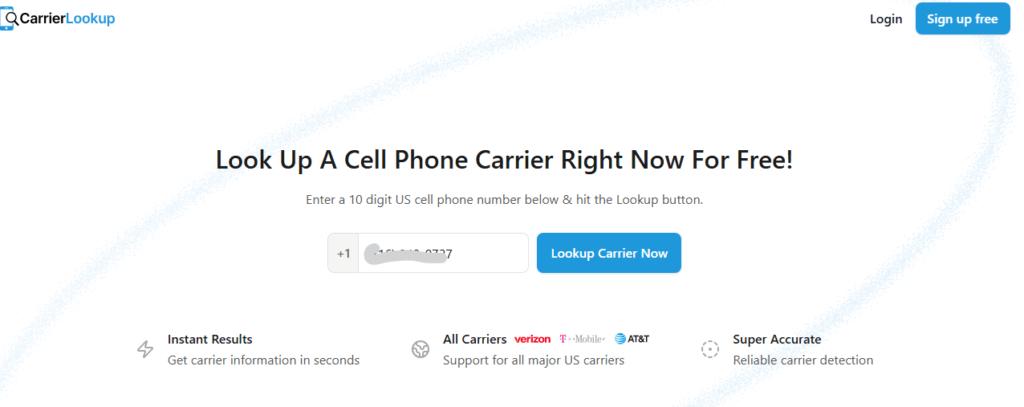
- Saisissez le numéro de téléphone portable américain à 10 chiffres et cliquez sur le bouton « Rechercher un opérateur maintenant ».
- Attendez les résultats.
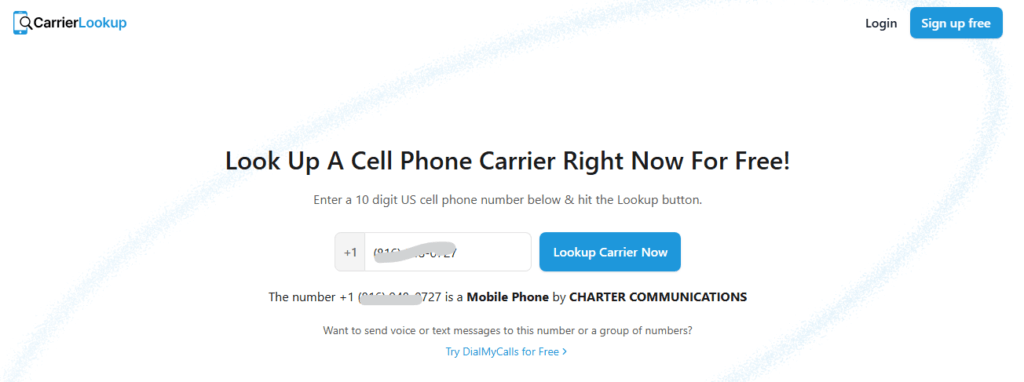
Dexatel
Dexatel est également un excellent outil de recherche d'opérateurs téléphoniques. Sur le site web, vous pouvez rechercher un ou plusieurs numéros, ce qui est particulièrement pratique pour les entreprises. De plus, il est idéal pour consulter les numéros de téléphone internationaux. Voici comment cela fonctionne :
- Aller à Dexatel.
- Saisissez le numéro de téléphone ainsi que l'indicatif du pays.
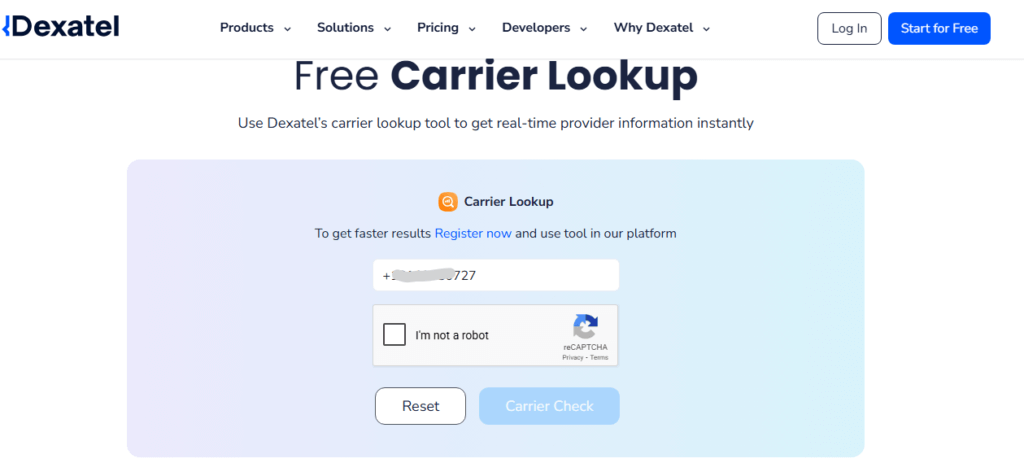
- Résolvez le captcha et cliquez sur le bouton « Vérification de l’opérateur ».
Consultez la base de données NPAC
Si vous recherchez une méthode plus technique, la Centre d'administration de la portabilité des numéros La base de données NPAC est appropriée. Il s'agit de la base de données officielle et centralisée permettant de suivre chaque numéro de téléphone en Amérique du Nord et son opérateur actuel. Vous pouvez vous attendre à des résultats précis avec la base de données NPAC, car certains utilisateurs changent d'opérateur. Cependant, la base de données NPAC est conçue pour les fournisseurs de services. Par conséquent, seuls les opérateurs peuvent accéder aux données de cette plateforme, généralement en achetant leurs services API.
Utilisez les outils spécifiques à l'opérateur
Si vous souhaitez vérifier la compatibilité avec votre opérateur mobile, vous pouvez utiliser son service directement. Les principaux opérateurs proposent souvent des outils en ligne permettant de vérifier si un numéro est disponible sur leur réseau. Cette section se trouve généralement dans les rubriques « Changer d'opérateur », « Portabilité » ou « Apportez votre propre appareil » (BYOD) de leur site web. Il vous suffit de saisir le numéro de téléphone ou l'IMEI pour vérifier la compatibilité. L'outil confirmera généralement si le numéro est actuellement actif chez cet opérateur.
Essayez la recherche inversée de numéro de téléphone
Les outils de recherche inversée de numéros de téléphone permettent d'identifier le propriétaire d'un numéro. Ils peuvent également servir à connaître l'opérateur. De nombreux outils de ce type, comme LocatePhone, fournissent même certaines informations gratuitement. LocatePhone, en particulier, compile des données provenant de registres publics, d'annuaires et d'autres sources. Voici comment cela fonctionne :
- Visitez le LocatePhone, site web de recherche inversée de numéros de téléphone.
- Saisissez le numéro de téléphone (avec l'indicatif du comté).
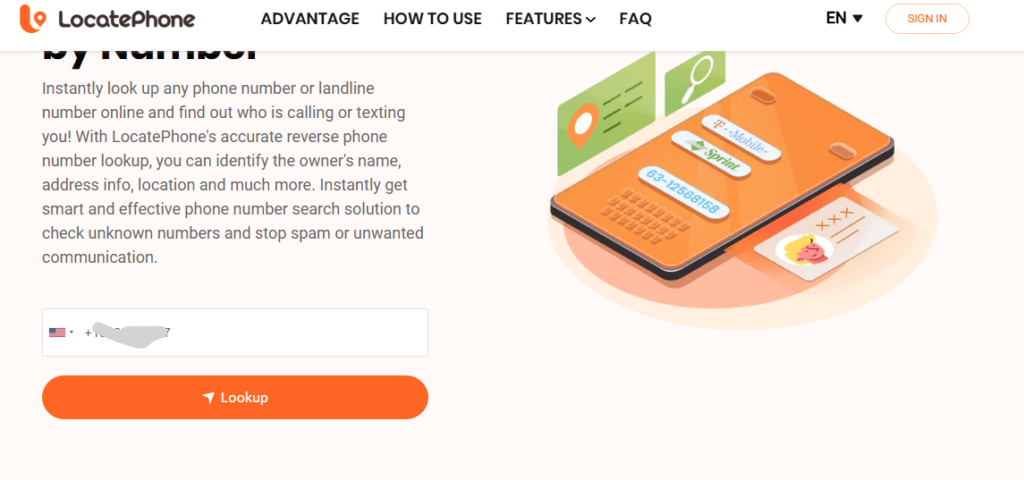
- Cliquez sur le bouton « Rechercher ».
- Ensuite, cliquez sur le bouton « Déverrouiller tous les résultats ».
- Entrez votre adresse email.
Comment puis-je identifier un opérateur à partir d'un numéro IMEI ?
Que faire si vous avez un téléphone physique mais pas de numéro actif ? Dans ce cas, vous aurez besoin de… Numéro IMEIL'IMEI (International Mobile Equipment Identity) est un code unique à 15 chiffres attribué à votre téléphone, comparable à une empreinte digitale numérique. En effectuant une recherche d'opérateur par IMEI, vous obtenez le réseau sur lequel l'appareil a été initialement conçu ou verrouillé. Cette information est cruciale lors de l'achat de téléphones d'occasion ou du déverrouillage d'appareils. Voici la procédure :
Trouver l'IMEI
Composez le *#06# sur le clavier de votre téléphone. Votre numéro IMEI s'affichera instantanément à l'écran. Vous pouvez également accéder aux Paramètres, puis à « À propos du téléphone », ou utiliser la boîte d'origine de votre smartphone ou votre ticket de caisse.
Vérifiez à l'aide d'un site web IMEI
Un site web spécialisé dans l'IMEI peut également fournir de nombreuses informations, telles que l'opérateur d'origine, le pays de vente, la garantie et les caractéristiques du modèle. IMEI24.com et MobileUnlocked.com sont deux sites web que vous pouvez utiliser à cette fin.
MobileDéverrouillé
MobileUnlocked vous aide à identifier le réseau mobile d'un appareil spécifique. Vous verrez des informations sur son enregistrement. Pour l'utiliser :
- Aller à la Site web MobileUnlocked.
- Saisissez la marque du smartphone, puis le numéro IMEI.
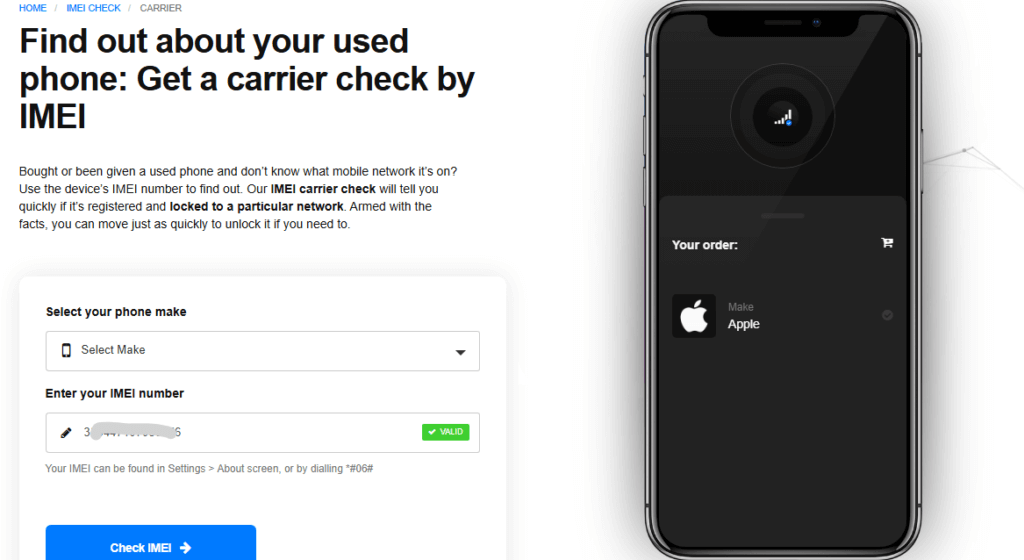
- Enfin, j'ai trouvé, j'ai vérifié l'IMEI.
- Veuillez payer les frais de chèque pour accéder aux détails.
IMEI24
IMEI24 Il fournit également des informations supplémentaires sur un smartphone grâce à son IMEI à 15 chiffres. Vous pouvez ainsi consulter la date de garantie, les informations sur l'opérateur d'origine, le statut sur liste noire, la date d'achat, etc. Pour l'utiliser :
- Consultez le site web IMEI24.
- Saisissez le numéro IMEI à 15 chiffres et cliquez sur le bouton « Vérifier ».
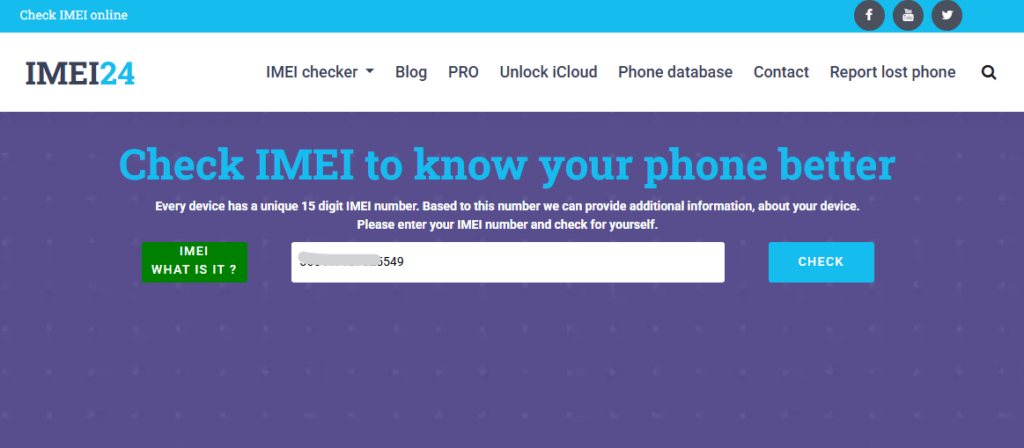
- Regardez une publicité pour accéder gratuitement à l'information ou payez les frais de transaction.
FAQ
Quel est mon opérateur de téléphonie mobile actuel ?
Votre opérateur mobile actuel est le fournisseur de services qui gère l'ensemble de votre forfait mobile. Vous pouvez facilement consulter votre facture mensuelle, votre compte en ligne ou même vérifier si le nom du réseau est affiché sur votre téléphone. Vous pouvez également accéder aux Réglages et consulter la section À propos ou À propos du téléphone pour obtenir les informations relatives à votre opérateur.
La recherche par opérateur permet-elle de révéler l'identité du propriétaire ?
Idéalement, une recherche standard d'opérateur téléphonique ne devrait pas fournir d'informations personnelles telles que votre nom ou votre adresse. Elle sert à identifier le fournisseur de services sans fil, par exemple AT&T. Cela dit, une recherche inversée de numéro de téléphone, effectuée à l'aide d'outils comme LocatePhone, recoupe les résultats de plusieurs sources de données. trouver l'identité du propriétaire et adresse.
Puis-je rechercher l'opérateur pour les numéros internationaux ?
Oui, mais tous les outils ne peuvent pas facilement rechercher un numéro de téléphone internationalPresque tous les outils gratuits de recherche de numéros de téléphone américains fonctionnent avec des numéros nord-américains. C'est pourquoi vous avez besoin d'API payantes de recherche d'opérateurs ou de services de recherche inversée de numéros de téléphone, tels que LocatePhone, qui se spécialisent dans l'identification des opérateurs à l'échelle mondiale.
Conclusion
Que votre objectif soit de filtrer les appels, de dépanner votre téléphone ou même de nettoyer vos listes de prospection, nous avons pensé à tout pour vous aider à identifier votre opérateur mobile. Vous disposez désormais de solutions de recherche gratuites et d'outils performants comme LocatePhone. En combinant les différentes méthodes mentionnées, vous pouvez identifier avec précision le réseau associé à n'importe quel numéro de téléphone.