Social media is now a central part of modern life since they help people interact with one another across the globe. Occasionally the situation arises where you want to search for individuals on social networking platforms using only their phone number.
Fortunately, there are several ways to find someone’s social media profiles using just their phone number for free, including the simple techniques and the use of searching tools.
Can You Search Social Media by Phone Number?
You can perform social media searches using a phone number. Through such social media sites like; Facebook, Instagram, and LinkedIn among others, there is always an option of connecting the accounts to a certain phone number. This link gives you a starting point for your search when you are trying to look for a specific individual. But again it could work depending on the privacy setting of the user.
While some of the sites can be searched directly using the phone number, there are those that may necessitate the use of search engines or even third-party search tools.
How to Find Social Media by Phone Number Free
There are various options using which you can find a phone number. You can opt for Google search engine which has a high probability of finding the correct options, or do a manual search on social media platforms.
Google Search Engine
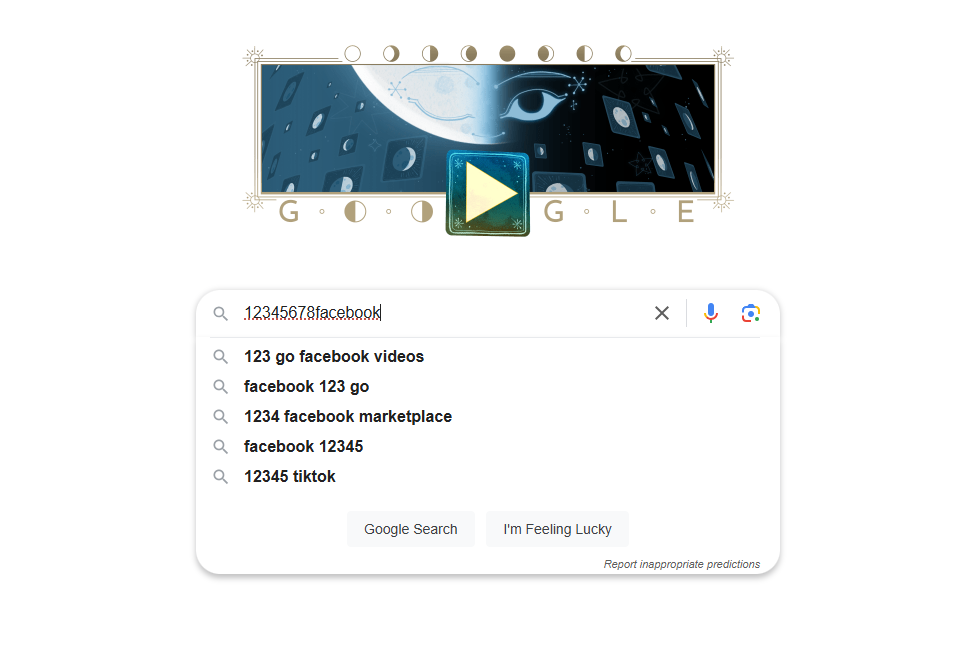
Using Google Search to find social media profiles linked to a phone number can be a quick and effective technique. Google’s search capabilities allow you to narrow down relevant information by entering the number in quotation marks, which focuses the search on specific matches.
You can also add keywords like social media, profile, or even platform names to get closer to the right results.
Steps:
- Enter the phone number in quotation marks (e.g., 123-456-7890).
- Add terms like social media, profile, or the name of the platform.
- Review the search results for any links to social media profiles.
Manually Search on Social Media
You can take help of the below mentioned social media platforms to find the social media accounts of a person by his phone number.
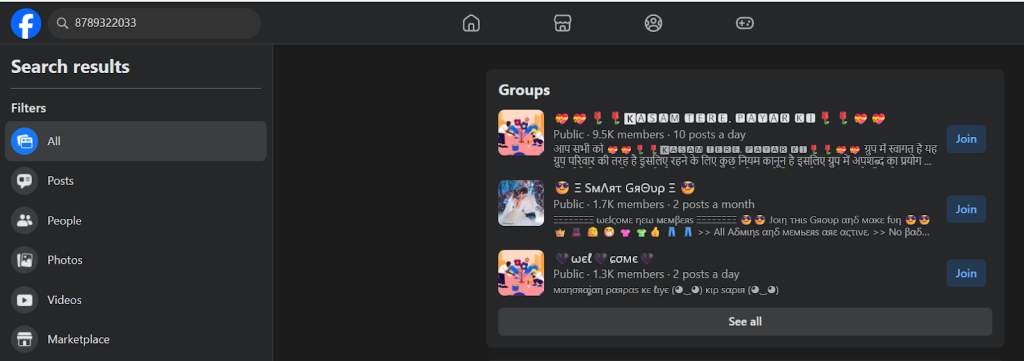
Facebook’s search feature can help locate profiles associated with a phone number, making it a useful method for finding someone. Just log into Facebook and enter the number in the search bar. If privacy settings restrict the results, checking mutual contacts could help locate a profile that might not be directly visible.
Steps:
- Log into Facebook and enter the phone number in the search bar.
- Check the results for matching profiles.
- If privacy settings block the search, consider using mutual contacts.
Note that Facebook’s privacy policy (since 2019) has made it impossible to search most users’ phone numbers directly. This only works if the user has set their phone number to Public in their privacy settings, which most users do not.
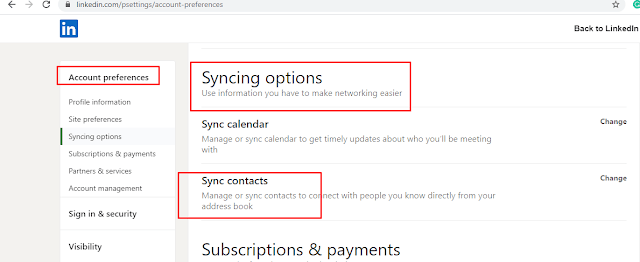
LinkedIn does not offer a public reverse phone lookup feature. You cannot enter a phone number into LinkedIn’s search bar and reliably find the person’s profile. However, you can sync your phone contacts with LinkedIn and see whether you can find the account.
Steps:
- Save the phone number in your phone contacts.
- Allow LinkedIn to sync your contacts.
LinkedIn may suggest that person under “People You May Know” if:
- They have a LinkedIn account.
- The phone number is associated with their account.
- Their privacy settings allow discoverability.
LinkedIn will not explicitly tell you “this profile matches this phone number.”
Like LinkedIn, Instagram does not provide a public reverse phone lookup feature, meaning you generally cannot enter a phone number and directly find the Instagram account associated with it. However, you can try to sync your phone number contacts on Instagram, where a phone number may help identify an Instagram user.
If the situations below are matched, then Instagram may suggest their profile when you syncning the contacts:
- The person used that phone number to register or verify their Instagram account, and
- They have not disabled discoverability features,
Steps:
- Save the phone number in your contacts.
- Go to Account settings, and hit “Contacts syncing”, then enable contact syncing in Instagram.
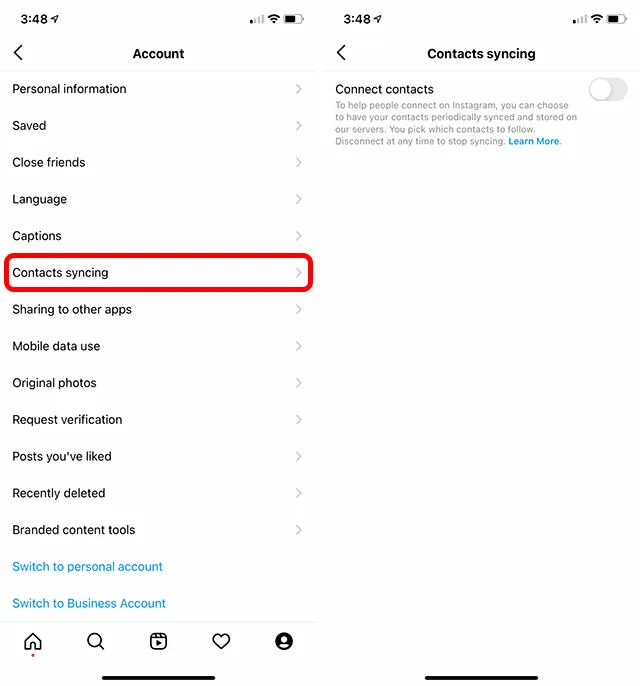
- Check the “Discover People” suggestions.
X (formerly Twitter)
X (formerly Twitter)’s search function can help locate profiles or tweets linked to a phone number if the account is public. By entering the phone number in the search bar, you may see tweets or accounts associated with it. Public profiles can sometimes appear directly in the results.
Steps:
- Enter the phone number in the X search bar.
- Explore results, including tweets and profiles, for links to the number.
TikTok
TikTok allows users to register and verify accounts using a phone number. If the person has linked their number to TikTok and enabled account discoverability, you may be able to find their profile through TikTok’s contact syncing feature.
How to find a TikTok account by phone number:
- Save the phone number to your device contacts.
- Open TikTok and sign in.
- Go to your profile and tap Find Friends or Contacts.
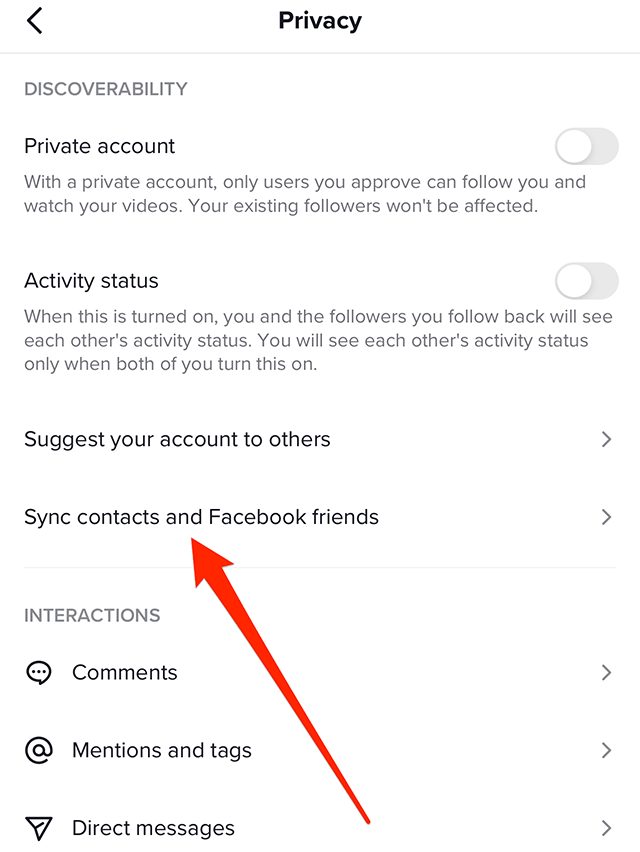
- Allow TikTok to access your contacts.
- Review the suggested accounts.
Limitations:
This method only works if the account owner has enabled the setting that allows people who have their phone number to find them. If the feature is disabled, no match will appear.
Because WhatsApp accounts are built around phone numbers, it is one of the most direct ways to determine whether a number belongs to an active user.
How to check a phone number on WhatsApp:
- Save the phone number to your contacts.
- Open WhatsApp.
- Tap New Chat.
- Look for the saved contact in the contact list.
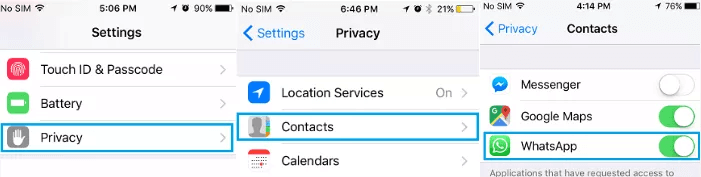
If the number appears, it is likely registered on WhatsApp.
Limitations:
Depending on the user’s privacy settings, you may not be able to see their profile photo, display name, status, or last seen information.
Telegram
Telegram also supports phone number-based accounts and contact syncing.
How to check a phone number on Telegram:
- Save the number in your contacts.
- Open Telegram.
- Allow Telegram to sync contacts.
- Check whether a Telegram account is associated with that number.
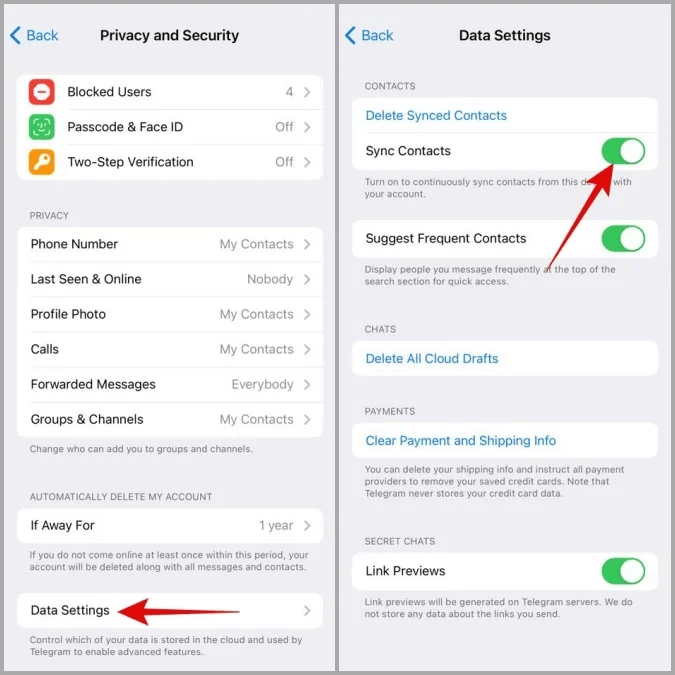
You can also try searching for the person’s Telegram username if you know it.
Limitations:
Users can restrict who can discover them by phone number, so not every account will be visible through contact syncing.
Social Media Lookup by Phone Number
There are a few tools that will help you look up the social media accounts by entering the phone number.
Pipl
Pipl is a powerful tool for uncovering and verifying online identities, offering insights by connecting digital identity data with offline identity records. By starting with any data point, Pipl can reveal details about a person’s social media profiles, emails, phone numbers, and more.
This phone number lookup social media is commonly used in crime investigation, online marketplaces, and e-commerce to authenticate users and prevent fraud.
However, Pipl has transformed into a B2B enterprise service, and ordinary users cannot register and use it. But still you may use it as a reference.
Steps:
- Start with any identifying information (e.g., email, phone number, username).

- Use Pipl’s search functions to gather data about the person.
- Review results for connections to social media and online profiles.
LocatePhone
LocatePhone’s reverse phone lookup service provides a quick and effective way to gather detailed information about any unknown caller. By simply entering a phone number, you can access names, address info, and even social media profiles linked to that number. This tool pulls data from various public databases, offering accurate results to help identify and avoid spam or unwanted calls.
Steps:
- Go to LocatePhone Reverse Phone Lookup.
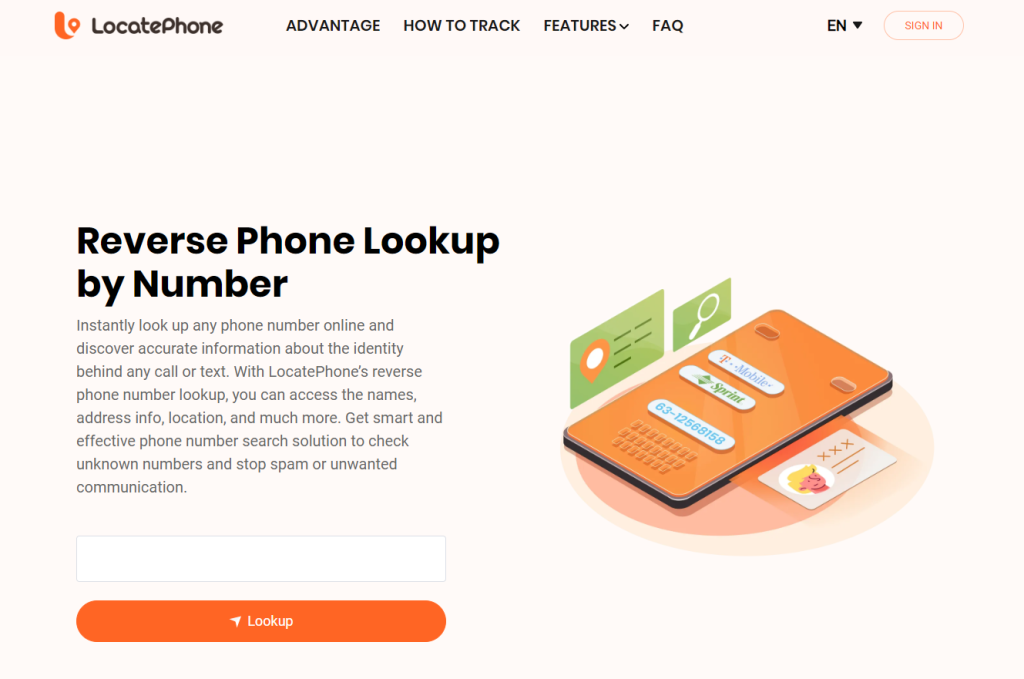
- Input the phone number.
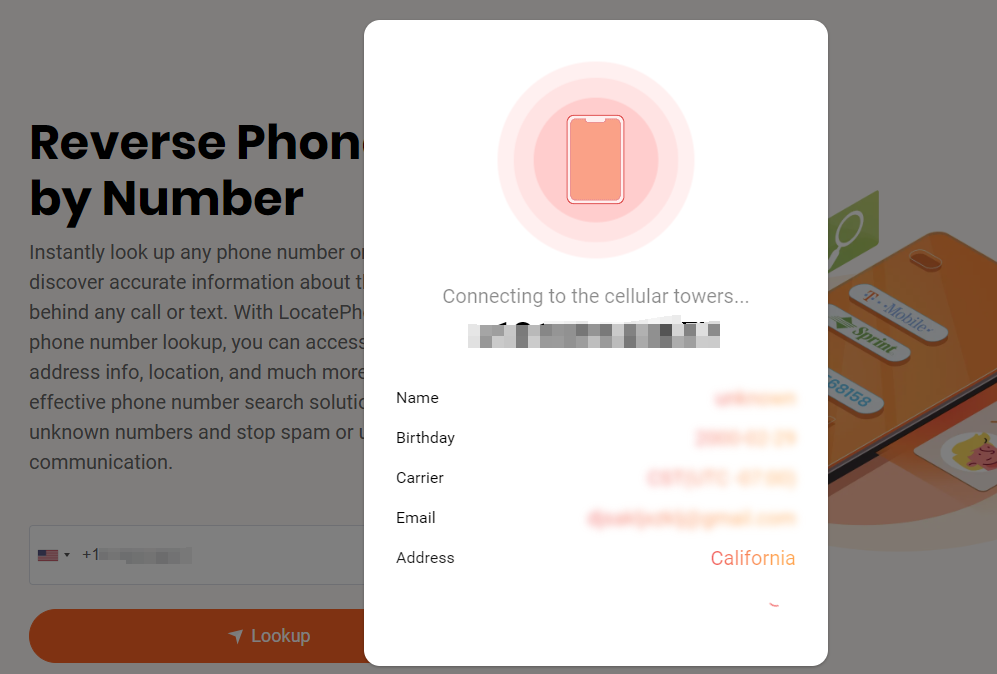
- Complete the payment. Analyse results for social media profiles, addresses, and more.
Use Epieos to Investigate a Phone Number
Epieos is a popular OSINT tool that can sometimes uncover information associated with a phone number, including clues about linked online accounts.
The service analyzes publicly accessible data and may reveal information connected to Google accounts or other online services when available.
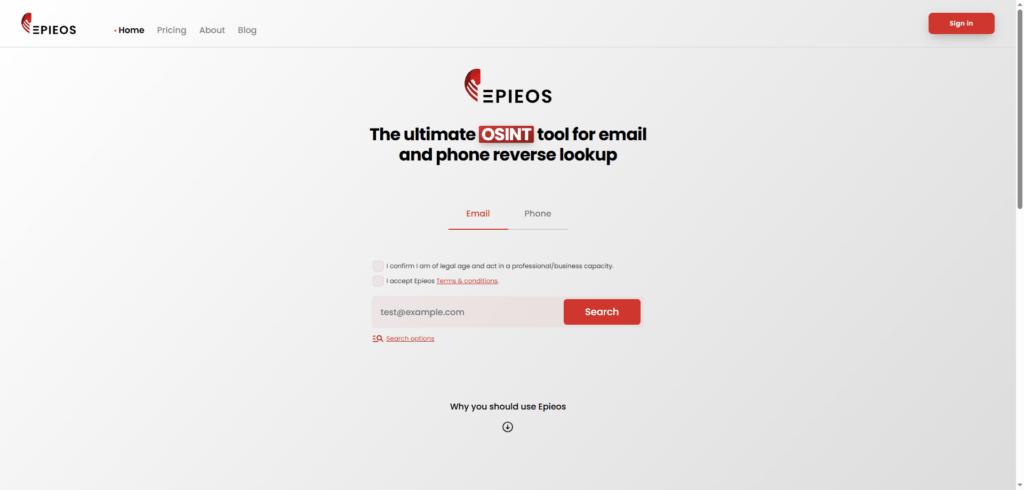
How to use Epieos:
- Visit Epieos.
- Select the phone number search option.
- Enter the phone number you want to investigate.
- Review any associated account information or online clues that appear.
Limitations:
Results depend on whether the phone number has been linked to publicly discoverable accounts. Many phone numbers return little or no information, especially when strong privacy settings are in place.
Epieos should be viewed as a supplementary research tool rather than a guaranteed method for identifying a person.
Social Media Usernames and Handles
Many people use the same or similar usernames across multiple social media platforms, which can make it easier to identify them. By searching for a phone number on different platforms, you may find consistent usernames that link to the same individual.
Steps:
- Search the phone number on multiple platforms.
- Identify consistent usernames.
- Explore these usernames to find linked accounts.
Check Public Records
Public records databases often contain information connected to a phone number, such as addresses, names, or social media links. Free online directories and databases provide a simple way to look up public data related to a number
Steps:
- Use free online directories or databases.
- Search the phone number for any public data, including social media.
- Note relevant details for further searches.
Upload & Sync Your Contacts
Social media platforms often have contact-syncing features that can identify linked profiles automatically. By uploading a phone number to your contacts and syncing with social media apps, you may receive profile suggestions based on those connections, revealing accounts that use that phone number for registration.
Steps:
- Upload the phone number to your phone’s contacts.
- Open the social media app and enable contact syncing.
- Check suggestions for newly identified profiles.
Contact the Person Directly
Sometimes, reaching out directly can be the easiest and most respectful way to gather someone’s social media information. If you have their phone number, simply call or text and politely ask about their social media presence. This approach can be more efficient and avoids extensive searching, while also showing respect for their privacy preferences.
Steps:
- Call or text the person.
- Politely inquire about their social media profiles.
- Connect with them upon receiving their details.
Benefits of Social Media Lookup
Searching for social media profiles by phone number can yield various benefits. It allows you to reconnect with old friends or lost contacts effortlessly. It’s also an excellent way to verify someone’s identity or establish their credibility, especially in professional or online interactions.
Furthermore, social media lookups can help broaden your network, offering opportunities to engage with people in your industry or community.
Is It Legal to Search Social Media by Phone Number?
Yes, searching social media by phone number is generally legal if done ethically. Publicly available information or profiles accessible through legal means are fair game. However, it is crucial to respect privacy laws and avoid using such searches for malicious or intrusive purposes.
Some jurisdictions have stricter regulations regarding the use of personal information, including phone numbers. Ensure you comply with the platform’s terms of service and use the information responsibly.
FAQ
How to find someone on Facebook with a phone number?
To find someone on Facebook, enter their phone number into the search bar. If their privacy settings allow it, their profile will appear in the search results. Alternatively, try uploading the number to your contacts and enabling syncing in the Facebook app. If these methods fail, consider mutual connections or searching by name and location.
Can you find someone’s TikTok by their phone number?
Yes, in some cases you may be able to find a TikTok account linked to a phone number, but TikTok does not provide a public reverse phone search feature.
One possible method is to use TikTok’s contact discovery feature:
- Save the phone number to your phone contacts.
- Open TikTok and enable contact syncing.
- Go to Find Friends and check the suggested accounts.
This only works if the person has connected that phone number to TikTok and has allowed others to find them through contacts.
If you are trying to identify the owner of an unknown phone number, you can also start with an online phone number lookup service like ClarityVerify to find available information associated with the number. This may help you discover additional details that can be used to search for related social media accounts.
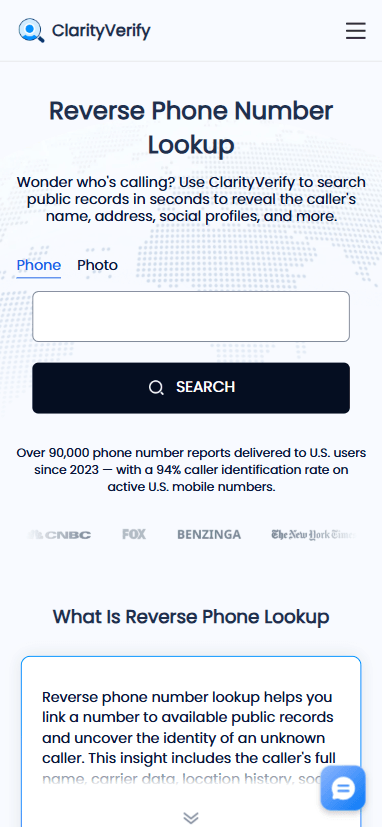
Keep in mind that social media platforms protect user privacy, so no method can guarantee finding a TikTok account from a phone number alone.
If you’re trying to find hidden or private profiles, you’ll need to combine multiple methods, such as public records, search engines, or username analysis. Start with platforms like Pipl or manual searches on major social networks. Additionally, look for usernames linked to the person and cross-check across platforms. Respect privacy and avoid invasive tactics when attempting this.
What should I do if phone number lookup shows no results?
If a phone number lookup shows no results, it does not always mean the number is invalid or impossible to identify. There are several reasons why information may not appear.
First, check that you entered the phone number correctly, including the country code. A missing country prefix or formatting issue can prevent a lookup from finding available records.
You can also try the following steps:
- Check the number type
Some numbers, such as newly issued mobile numbers, prepaid numbers, VoIP numbers, or private numbers, may have limited public information available. - Search the number in different formats
Try searching with and without spaces, dashes, or the international format: +1 555 123 4567 555-123-4567 - Look for online mentions
The number may appear on business websites, directories, forums, or social media profiles even if a standard lookup does not return results. - Try related search methods
If you are using an online phone number lookup tool like ClarityVerify, you can use any available details from the report, such as possible names or locations, to perform additional searches.
Keep in mind that not every phone number has publicly available information. Privacy settings, unlisted numbers, and limited online presence can all affect lookup results. A phone number lookup is a helpful research tool, but it cannot guarantee identification for every number.
Conclusion
Finding social media accounts by phone number is a useful skill that can help reconnect with people, verify identities, or build relationships. Whether through manual searches, tools like Pipl, or syncing contacts, there are numerous free methods to achieve this. Always approach these searches ethically and respect privacy settings to maintain trust and legality.